Get ready for a whole new banking experience.
New UI UX

Better Navigation

Enhanced features

How to switch to our new BIMB Mobile?
Meet Your Financial Companion - Simplify Your Banking with BIMB




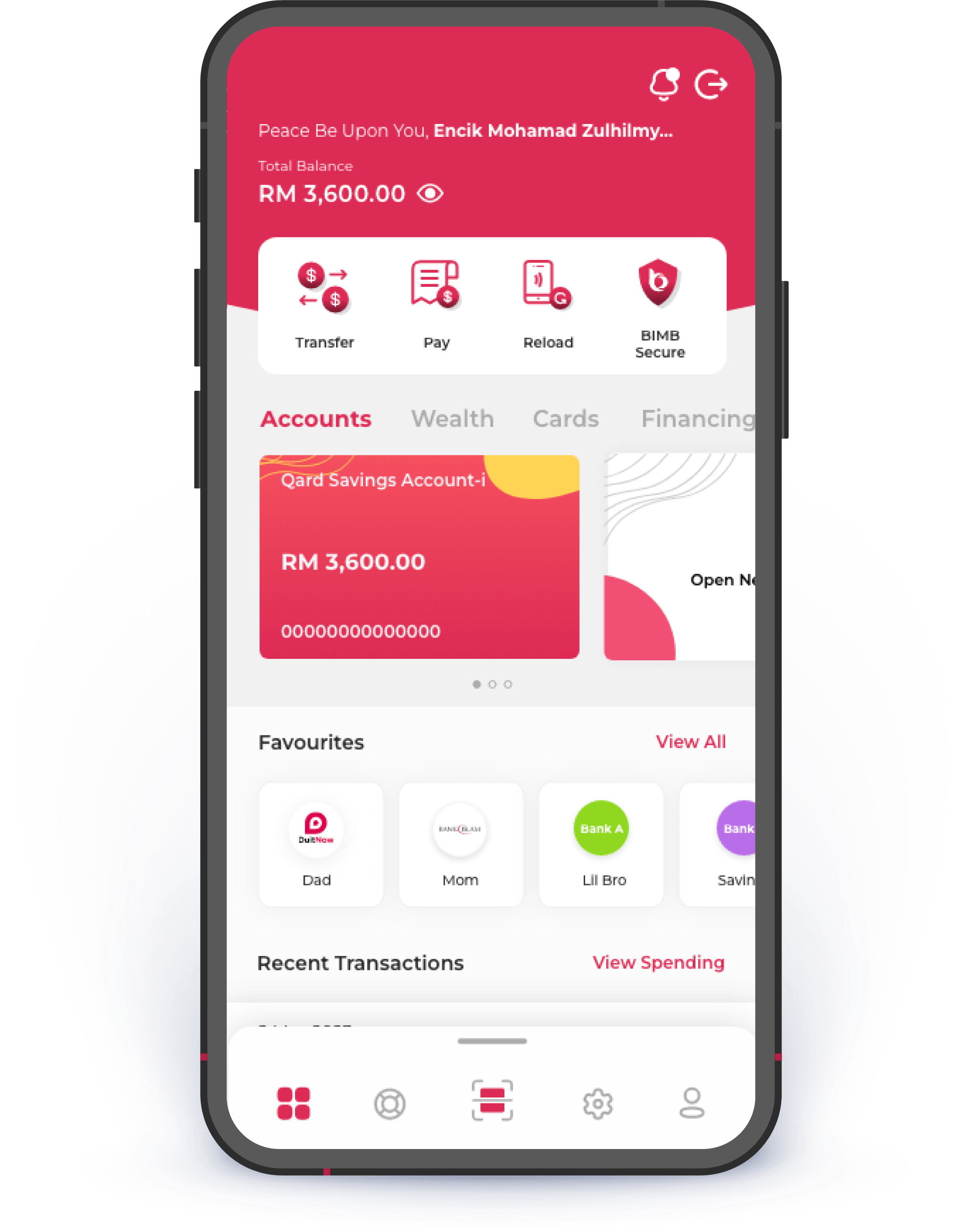
Here's what you need to know before switching to BIMB

Your favourites will automatically move to the new BIMB.

All recurring & future dated transactions will not be transferred.

Once you switch, you will no longer have access to the previous Bank Islam Internet Banking.
Frequently Asked Questions
Switching to BIMB Mobile & BIMB Web
BIMB Mobile Account Setup
After downloading BIMB Mobile, you will need to perform registration using your existing BIMB Web User ID, password, and your Identification Card (IC) / Identification Document (ID) number in order to bind your device with your IB User ID.
For existing Bank Islam BIMB Web users:
- Enter your User ID and password.
- Enter your IC/ID number.
If you do not have a User ID, you must first register for BIMB Web through BIMB Web. For the next login, you can use your fingerprint (if your mobile device is supported by fingerprint authentication security feature) to access BIMB Mobile. Otherwise, you can login by using your existing BIMB Web password.
Note: After completing the first-time setup as a new user for BIMB Mobile, activation of your access is required before you can perform any banking transactions. Activation can be done at the Bank's ATM machines, at branches or via the Contact Center (for customers overseas or those without access to branches and ATM machines).
You need to ensure you have downloaded and completed the first-time setup as a new user for BIMB Mobile before you can activate your online access. You can activate BIMB Web by proceeding with the following steps:
Acttion via ATM/ CRM
Visit any Bank Islam ATM/ CRM:
- Insert your debit or credit card into the ATM/ CRM.
- Enter your 6-digit PIN to access the main menu.
- Select ‘Others’.
- Select “Online Access Activation”.</st
- Complete the activation process.
Activation at Branch
Visit any Bank Islam branch:
- Fill out and submit the activation request form.
- The branch will process your activation request.
BIMB Web Account Setup
To sign up for Bank Islam BIMB Web, you:
- Must be 18 years and above.
- Have an Individual Current/Savings Account; or Have Sole Proprietor Account.
- Have Bank Islam ATM/Debit Card.
- Have ATM PIN.
Please follow the following steps:
- Login to https://www.bankislam.biz
- Click FIRST TIME USER.
- Read on ‘Terms and Conditions of Access and Use of Website’.
- Tick the box below to acknowledge the T&C and click Continue.
- Select Bank Islam Credit Card-i and click Continue.
- Key in your Bank Islam Credit Card-i Number and PIN.
- Click Continue.
- Complete all the information required on the page such as User ID, Password, E-mail, and Mobile Number.
- Proceed to set up your Private Word and select ONE Private Image.
- Set up your Secret Question and provide your Secret Answer (Please make sure you remember all 3 questions and answers).
- Click Submit.
- Review the details displayed and click Confirm to complete your request.
- Once completed, you will be directed to the acknowledgement page that confirms the status of your request.
- Then, you may proceed to login to your BIMB Web.
Just follow these simple steps:
- Login to BIMB Web
- Click “FIRST TIME USER".
- Read the Terms and Conditions.
- Click at ATM/Debit Card.
- Enter your ATM/Debit Card 16-digit number and ATM PIN.
- Create USER ID, Password, and other details on the screen.
- Confirm the information and click “Confirm”.
- You have successfully signed up for Bank Islam BIMB Web.
You need to ensure you have downloaded and completed the first-time setup as a new user for BIMB Mobile before you can activate your online access. You can activate BIMB Web by proceeding with the following steps:
Activation via ATM/CRM
Visit any Bank Islam ATM/CRM:
- Insert your debit or credit card into the ATM/CRM.
- Enter your 6-digit PIN to access the main menu.
- Select ‘Others’.
- Select “Online Access Activation”.
- Complete the activation process.
Activation at Branch
Visit any Bank Islam branch:
- Fill out and submit the activation request form.
- The branch will process your activation request.

Download
BIMB Mobile